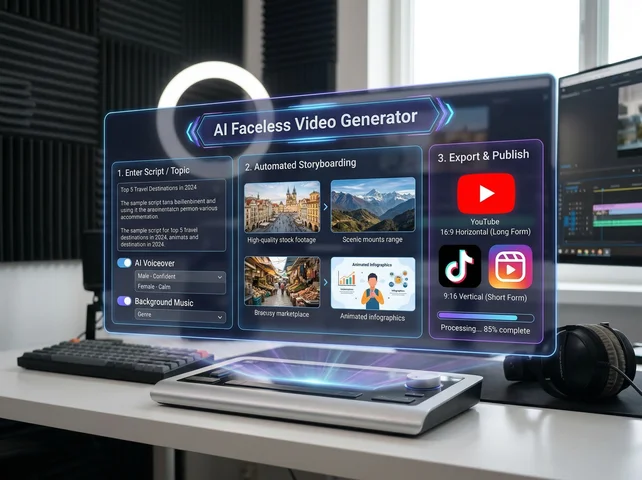
An AI faceless video generator helps you create videos without appearing on camera. Videoinu’s official faceless page says the tool generates visuals, motion, and scenes from your content instead of requiring recorded footage, which makes it useful for creators who want privacy, speed, or a more repeatable workflow.
What makes faceless video creation useful is not only privacy. It is also about building a format you can keep using. Videoinu’s About page describes the product as an AI-native video studio with control from prompt to storyboard to scenes and characters, plus fast iteration tools like comparing versions and locking key shots. That kind of setup fits creators who want a process they can repeat, not just a one-time clip.
Why People Use Faceless Video Generators
A faceless format works well when the content matters more than the creator being on screen. That can mean story videos, explainers, commentary, kids content, educational videos, or dialogue-based scenes.
Videoinu’s faceless page says the tool is ideal for creators who prefer privacy, want to save time, or need to produce videos consistently without appearing on screen.
Videoinu’s broader site also supports this direction. The homepage says users can go beyond short 10-second limits and create much longer animated episodes ready for YouTube, while the story page emphasizes scene sequencing and narrative flow rather than isolated clips. That combination is useful for faceless creators who want connected content instead of random outputs.
Why Use Videoinu for Faceless Videos?
One reason is that Videoinu is positioned as more than a simple clip generator. Its About page says creators can work from prompt to storyboard to scenes and characters, which suggests a more structured workflow than a basic one-shot generation tool.
Another reason is scalability. Videoinu’s text-to-video, story, animation, and video-to-video pages all say the platform uses multiple AI video models in one workflow, with smart routing or model combinations depending on the task. That matters for faceless channels because different parts of a video may need different strengths, such as scene building, style control, or smoother transitions.
How to Use an AI Faceless Video Generator on Videoinu
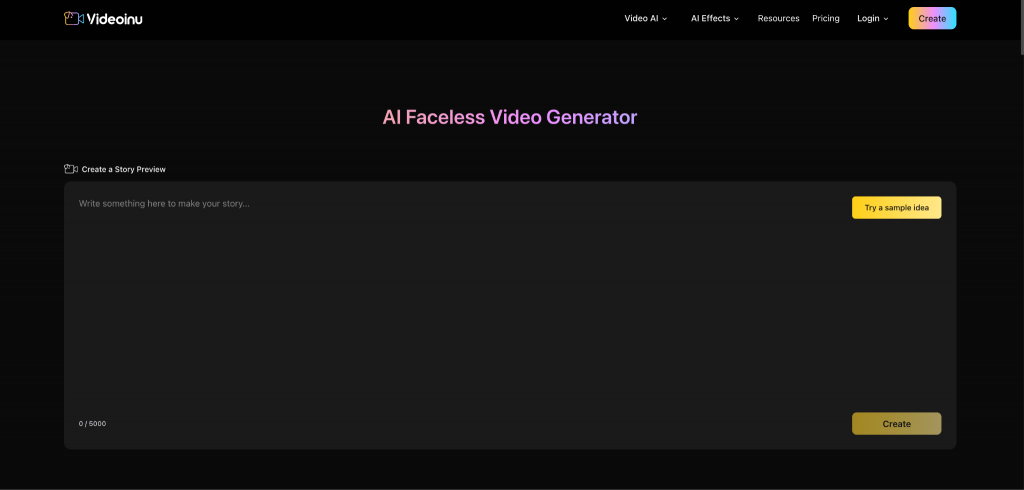
Step 1: Start with a Repeatable Content Idea
The best faceless videos usually begin with a format, not just a random prompt. Think about a structure you can reuse, such as:
- short story episodes
- educational explainers
- dialogue videos
- commentary scenes
- character-led clips
This fits the way Videoinu presents its platform. Its homepage focuses on longer creator content, while the story page says scripts and stories can become multi-scene videos with narrative flow.
Step 2: Break the Idea Into Scenes
Faceless videos are easier to build when you think in beats instead of one big block of text. A simple structure could be:
- opening
- development
- turning point
- ending
Videoinu’s AI Story Video Generator page says the tool turns written stories or scripts into structured, story-driven videos and emphasizes scene sequencing over single clips. Even if your video is not a “story” in the usual sense, this scene-based method still works better for faceless content.
Step 3: Set the Visual Direction
Now decide how the video should look. Videoinu’s About page says creators can control storyboard, scenes, characters, lipsync, and voice, while its hub About page highlights character consistency and multiple art styles such as cartoon, watercolor, anime, cinematic, and realistic. Those features matter because faceless content often depends on stable visuals rather than a real person on camera.
This is a good stage to decide:
- whether the content should look realistic or stylized
- whether you want recurring characters
- whether the pacing should feel fast, calm, or story-driven
Step 4: Generate a Draft Version
Once the structure is clear, generate the first version. Videoinu’s product pages consistently describe workflows built around previewing, comparing, and improving. The About page specifically mentions parallel versions, key-shot locking, rollback, and compare-and-pick tools, which suggests the first output should be treated as a draft rather than a final answer.
When you review the draft, ask:
- Do the scenes connect clearly?
- Does the pacing feel right?
- Does the style stay consistent?
- Does it feel usable for your channel or content format?
Step 5: Refine What Works and Reuse It
This is where faceless video becomes powerful. A strong format can be repeated. Videoinu’s public positioning around longer videos, story workflows, and scalable creation suggests that the product is designed for building content systems, not only one-off experiments. Its homepage promotes long-form animated episodes, and its text-to-video and story pages both say short clips or scene-based segments can be combined into longer videos on the platform.
So after the first version, keep what works. Improve the structure, tighten the pacing, and reuse the format for the next video.
What You Can Make With an AI Faceless Video Generator
Based on Videoinu’s faceless, story, and platform pages, this type of workflow is a good fit for:
- story-driven YouTube content
- educational videos
- dialogue videos
- kids content
- repeatable series formats
- creator content that does not require filming yourself
That is the main advantage. You can focus on scenes, structure, and publishing consistency without depending on a camera-based workflow.
Tips for Better Faceless Videos
Start with a format you can repeat. Videoinu’s public pages lean toward scalable workflows, longer videos, and creator-friendly systems, so a reusable structure makes more sense than a random one-off prompt.
Think in scenes, not just prompts. The story page explicitly distinguishes scene sequencing from single-clip generation.
Care about clarity more than flash. For faceless content, pacing and structure often matter more than one impressive frame. Videoinu’s creator-oriented messaging is built around whole-video workflows, not just short demos.
Final Thoughts
The best way to use an AI faceless video generator is to think like a format builder, not just a prompt writer. Start with a simple idea, break it into scenes, set a consistent visual direction, generate a draft, and keep refining until the workflow becomes repeatable. Videoinu fits that process well because its public pages focus on faceless creation, storyboard-to-scene control, scene sequencing, and longer-form video production in one platform.
FAQs
What is an AI faceless video generator?
It is a tool for making videos without filming yourself. Videoinu says its AI Faceless Video Generator creates visuals, motion, and scenes from your content instead of recorded footage.
Who is it good for?
Videoinu says it is ideal for creators who prefer privacy, want to save time, or need to produce videos consistently without appearing on screen.
Can I use it for YouTube-style content?
Videoinu’s homepage says users can create longer animated episodes ready for YouTube, and its story tools are designed for structured, multi-scene content.
Do I need editing experience?
Videoinu’s product pages emphasize creator-friendly workflows and automatic generation across text-to-video, image-to-video, story, and faceless tools, which suggests the platform is built to reduce the need for heavy manual editing.
Why use Videoinu for faceless videos?
Because its public positioning combines faceless video creation with prompt-to-storyboard-to-scene control, scene sequencing, multiple AI models, and scalable workflows in one platform.