Modern interactive entertainment has evolved far beyond the realm of simple leisure; for many, it is an intense, immersive experience that demands specialized equipment. While fast processors and powerful graphics cards handle the computational heavy lifting, the final delivery of that experience—the bridge between the virtual world and the player—relies on two critical components: the gaming screen monitor and the gaming armchair.
To achieve true, uncompromised immersion, these two pieces of hardware must work in harmony. The ultimate setup often pairs the enveloping visuals of a curved gaming screen monitor with the customized comfort and support of a reclining gaming armchair, creating a personal cockpit where the player can lose themselves in the digital landscape for hours on end.
The Visual Horizon: The Curved Gaming Screen Monitor
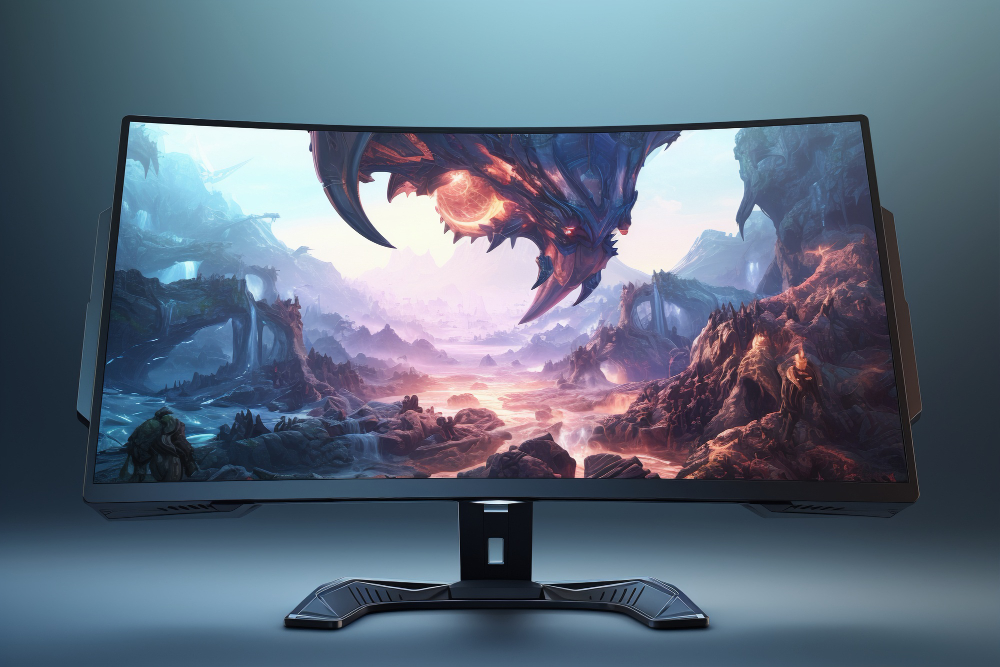
The fundamental purpose of any gaming screen monitor is to display the game world with clarity and speed. However, flat displays inherently limit immersion due to the viewing distance and peripheral vision. This is where the curve comes in. A curved monitor is designed to match the natural curvature of the human eye, offering several distinct advantages for immersion:
- Reduced Eye Strain
On a large flat monitor, the edges of the screen are farther away from the viewer than the center. This slight, continuous change in focal distance forces the eye muscles to work harder, leading to strain during extended sessions. A curved gaming screen monitor, particularly one with an aggressive radius (e.g., 1000R), ensures that every point on the screen surface is equidistant from the player’s eye. This creates a uniform viewing field, reducing the constant refocusing effort and allowing for longer, more comfortable play sessions.
- Enhanced Peripheral Vision
For ultrawide curved monitors, the wrap-around effect fills more of the player’s peripheral vision. This tricks the mind into believing the display is larger than it is, drawing the player further into the action. In demanding titles, this peripheral extension is not just aesthetic; it’s tactical, allowing players to spot threats or subtle visual cues at the edges of the screen without turning their heads.
- Perceived Depth and Presence
The curvature enhances the sense of depth in the game world, making backgrounds feel further away and foreground elements feel closer. This dimensionality is a significant factor in immersion, transforming a static image into a truly three-dimensional experience. When paired with a large diagonal size—an essential quality for a premium gaming screen monitor—the curve allows the display to dominate the visual field, eliminating the mental awareness of the room around the player.
The Ergonomic Anchor: The Reclining Gaming Armchair
Immersion is fundamentally broken by physical discomfort. No matter how stunning the gaming screen monitor is, back pain, stiff necks, or strained shoulders will inevitably pull the player out of the game world. This is where the modern gaming armchair elevates the experience from mere comfort to tailored support.
The key features of a high-end gaming armchair—especially those with reclining functions—are specifically designed to complement the visual setup and support marathon gaming:
- Dynamic Posture Adjustment
A quality gaming armchair offers multifaceted adjustments, but the reclining feature is paramount for immersion, especially when utilizing a curved screen.
- Optimal Viewing Angle: The ability to adjust the backrest angle allows the player to perfectly align their line of sight with the central focus point of the curved gaming screen monitor. When playing cinematic single-player games, a slight recline (e.g., 105–115 degrees) can shift weight and relax the spine, maximizing comfort without compromising the ability to reach controls.
- The Zero-Gravity Effect: Some advanced gaming armchair models offer near-flat recline positions. While not for competitive play, this position is ideal for extended viewing of in-game cutscenes, relaxation, or watching multimedia content on the enveloping gaming screen monitor. This adjustment significantly reduces pressure on the lower back and legs, supporting full-body relaxation.
- Tailored Lumbar and Neck Support
To maintain posture and comfort during long sessions, the best gaming armchair features adjustable or dynamic support cushions. The support should allow the player to maintain the optimal eye-to-screen distance recommended for their specific gaming screen monitor size and curvature.
- Lumbar Integration: Whether through adjustable external pillows or integrated adjustable internal supports, the chair must maintain the spine’s natural S-curve. This sustained support is critical to maintaining a focused state of flow, free from the distracting ache of poor posture.
- Armrest Synchronization: For the immersion setup, the armrests of the gaming armchair must be highly adjustable (4D adjustment is common) to ensure the player’s arms and shoulders are relaxed and parallel to the desk height. This prevents shoulder shrugging and fatigue, keeping the focus entirely on the action displayed on the gaming screen monitor.
The Synergy: Visuals Meets Comfort
The ultimate immersive setup is achieved when the player can maintain a stable, comfortable, and focused viewing posture for the duration of the game session. The curved gaming screen monitor creates the visual tunnel, and the reclining gaming armchair provides the perfect cradle for the user within that tunnel.
They function together to combat the two major factors that break immersion: visual fatigue and physical pain. By mitigating both through specialized design—uniform focal distance from the curve and anatomical support from the chair—the player is left with nothing but the pure, unadulterated experience of the game world. This partnership is the gold standard for anyone seeking to build a dedicated, high-performance, and truly enveloping gaming environment.